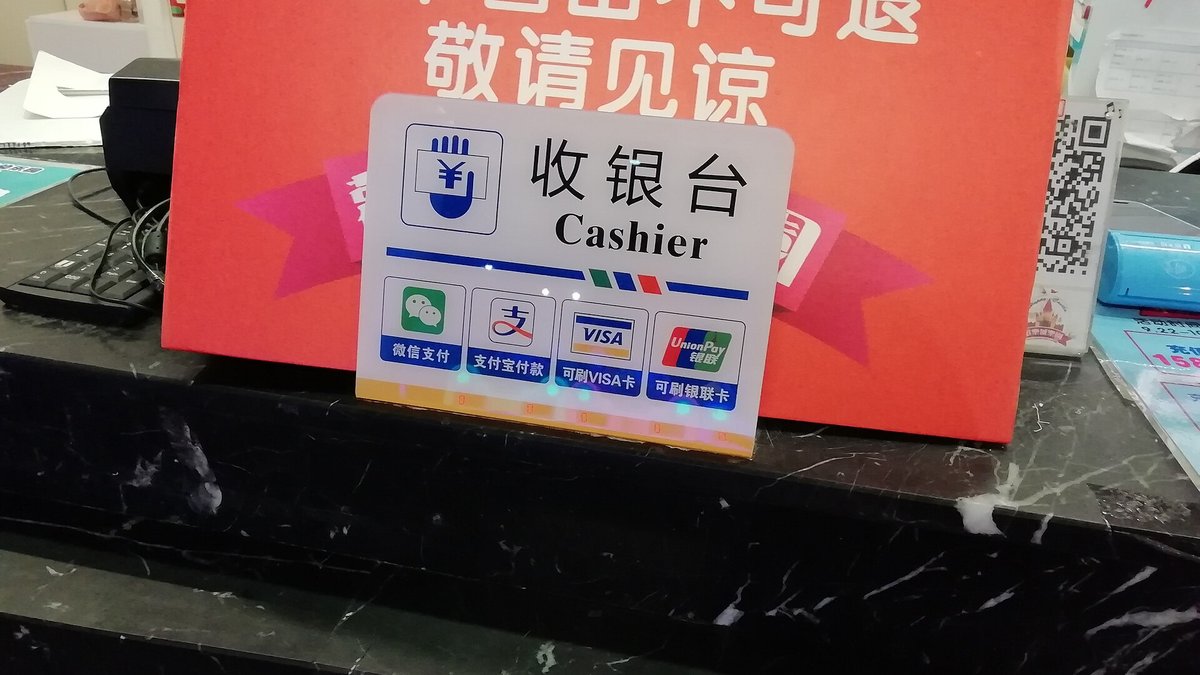
Besides WeChat, the other must-have payment app for Shenzhen is Alipay (支付寶). Although it overlaps with WeChat in function, some merchants and platforms (Taobao, certain vending machines, government services) only accept Alipay, so installing both is the safest bet.
AlipayHK vs Mainland Version Alipay
- AlipayHK (Hong Kong version): Register with a Hong Kong phone number, link a Hong Kong credit card or bank account, and it already supports QR code payments across the Mainland merchant network; ideal for weekend trips north and simple spending.
- Mainland version Alipay: Register with a Mainland phone number, link a Mainland bank card, and you get the fullest range of features — Meituan, Didi, government services, social security and medical insurance payments, transit codes, all usable.
Bottom line: if you head north a few times a year, AlipayHK is enough; if you plan to stay long-term or need to handle Mainland affairs (social security, banking, residence permit-related payments), you definitely need the Mainland version.
AlipayHK Activation Tutorial (Simplest)
- Download the AlipayHK app and register with a Hong Kong phone number.
- Link a Hong Kong credit card or bank account and complete identity verification (Hong Kong ID card).
- Scan to pay at Mainland merchants — AlipayHK already supports the Mainland merchant network.
- To ride the Shenzhen Metro, you can use the "EasyGo" transit code inside AlipayHK to scan through the gates.
Mainland Version Alipay Activation Tutorial
- Register with a Mainland phone number (if you haven't got a SIM yet, see our site's phone card guide).
- Link a Mainland bank card (see our site's bank account opening guide).
- Complete facial recognition identity verification, and you can then scan to pay, use transit codes, and pay utility bills.
- Before enabling "Balance" and "Huabei," it's advisable to understand the fees and repayment rules clearly — don't use them for overdraft spending.
Real-World Scenarios
- Mall shopping: Large malls such as Luohu MixC (羅湖萬象城), Nanshan Coastal City (南山海岸城), and Futian COCO Park (福田 COCO Park) accept QR code payments at both the checkout counter and in-store.
- Convenience stores / wet markets: 7-Eleven, Meiyijia, and wet market stalls almost all accept QR code payments — cash may not even be accepted.
- Transport: Shenzhen Metro Line 1 Luohu Station, Line 4 Futian Checkpoint Station, and Line 13 Shenzhen Bay Checkpoint Station all support transit code scanning at the gates.
- Government / utility payments: The Mainland version of Alipay can pay social security, medical insurance, water, electricity, gas, and cable TV bills.
- Online shopping: For Taobao and Tmall orders, the Mainland version of Alipay is the smoothest payment method.
Transit Code Activation Steps
- Mainland version Alipay: Search for "出行" (Travel) or "深圳通" (Shenzhen Tong), select Shenzhen, and activate the "Metro Transit Code."
- AlipayHK: Find "EasyGo" in the app and activate it for Shenzhen Metro use.
- Before entering the gate, open the transit code and aim it at the scanner on the gate — it will open once successful; scan again on exit and the fare is deducted automatically.
- Remember your phone must be connected to the internet (Wi-Fi or data), and your password / biometric authentication must be set up.
Exchange Rates and Fees to Watch
When you spend with a Hong Kong credit card linked to AlipayHK, the exchange rate is calculated by the card-issuing bank, and some cards charge a cross-border / foreign currency fee (typically 1%–2%); if you link a Hong Kong bank account and it deducts RMB or HKD directly, it depends on that institution's rate. With the Mainland version linked to a Mainland bank card, spending in the Mainland has no exchange rate issue at all. Before large purchases, it's best to check the actual deduction amount in the app.
Tips for Hong Kong travellers
- Before paying, check whether there's a "red packet" or "random instant discount" — Alipay often has promotions.
- To scan and pay: open the app → tap "Pay" on the home page to show your payment code, or use "Scan" to scan the merchant's QR code.
- Don't casually scan QR codes of unknown origin for others, and don't rent out or lend your account.
- If your phone is lost, immediately log out and freeze your account from another device (customer service hotline 95188).
Practical Scenarios Supplement: From Transport to Wet Markets
- Shenzhen Metro: Single-journey fares start from ¥2; scanning with a transit code costs the same as a physical ticket, and you don't need to queue to buy one.
- Convenience stores: Many convenience stores in urban Shenzhen are open 24 hours, and staff mostly only accept QR code payments.
- Wet markets and snack shops: Wet market stalls mostly operate from early morning to evening, and many only accept WeChat or Alipay.
- Malls: Most shops in malls such as Luohu MixC (羅湖萬象城), Nanshan Coastal City (南山海岸城), and Futian COCO Park (福田 COCO Park) accept QR code payments, and some international brand counters also accept credit cards.
- Attractions: Ticket offices and in-park spending at attractions such as Window of the World (世界之窗) and Happy Valley (歡樂谷) all accept QR code payments.
Account Security
- Set a payment password plus fingerprint / face unlock — don't rely on your screen lock alone.
- Enable "Payment Code Protection" so verification is required every time you show your payment code.
- If you suspect unauthorised use, immediately call the customer service hotline 95188 to freeze your account.
FAQ
Is AlipayHK accepted everywhere in the Mainland?
Large merchants, malls, chain stores, and transport generally accept it; small shops, wet market stalls, and some government services may only accept the Mainland version of Alipay or WeChat. So it's best to set up both.
Can the Mainland version of Alipay use a Hong Kong credit card?
In some cases you can link a Hong Kong card (identity verification will be required), but features will be limited (e.g. you can't receive red packets, and some scenarios aren't supported). For long-term use, a Mainland bank card is smoothest.
What documents are needed for identity verification?
A Home Return Permit (Mainland Travel Permit for Hong Kong and Macao Residents); facial recognition is required. If you have a Hong Kong and Macao Resident Residence Permit, verification will be smoother.
Is transferring money to friends convenient?
The Mainland version of Alipay supports "Transfer" or "Face-to-Face Pay," arriving instantly; transfers between AlipayHK and the Mainland version depend on cross-border policies, so it's best to use the same version directly.
Do I need to install both WeChat and Alipay?
Yes. Most Mainland merchants accept both, but some platforms (Taobao, certain government services, some vending machines) only accept Alipay, and some small shops only accept WeChat. Installing both is the safest.
Can Alipay receive a salary paid by a Mainland company?
Yes, but you need to complete identity verification, and it depends on the company's arrangements (some will transfer directly to a bank account). After receiving the money, you can withdraw it to a Mainland bank card — watch out for withdrawal fees.
AlipayHK vs Mainland Version: Feature Comparison
- QR code payment: AlipayHK covers most Mainland merchants; the Mainland version is accepted even at wet market stalls, government services, and vending machines.
- Transit code: Both can activate the Shenzhen Metro transit code (AlipayHK calls it "EasyGo").
- Utility payments / social security and medical insurance: Only the Mainland version can do this.
- Online shopping on Taobao and Tmall: The Mainland version is smoothest.
- Receiving money / transfers: The Mainland version's "Transfer" and "Face-to-Face Pay" arrive instantly; transfers between AlipayHK and the Mainland version depend on cross-border policies.
Payment Limits and Handling Failures
The per-transaction / daily limit for AlipayHK linked to a Hong Kong card is determined by account tier and risk control; it's generally enough for everyday spending (meals, tickets, supermarkets); for large amounts (e.g. buying appliances), you may need the Mainland version plus a Mainland bank card, or split the payment into several transactions. If a payment fails, check three things first: ① network; ② balance / credit card limit; ③ whether risk control was triggered (sudden large amount, multiple transactions in a short time). If it fails repeatedly, wait a while and try again, or switch to WeChat Pay.
FAQ Supplement
Does AlipayHK charge a fee for payments in the Mainland? Merchant QR code payments generally have no extra fee, but using a Hong Kong credit card may incur a cross-border foreign currency fee (about 1%–2%), determined by the card-issuing bank.
Can I withdraw cash from ATMs in the Mainland? AlipayHK generally does not support Mainland ATM withdrawals; if you need cash, you'll need a Mainland bank card (see our site's account opening guide) or a UnionPay card.

💬 Comments
Loading…